
几何体 BufferGeoMetry(缓冲类型几何体)
大约 3 分钟
几何体 BufferGeoMetry(缓冲类型几何体)
BufferGeometry 是一个没有任何形状的空几何体,他存储了顶点数据,可以创建任何形状的几何体。像 BoxGeometry、SphereGeometry、CylinderGeometry 等都是基于 BufferGeometry 类创建的。
BufferGeometry案例
import * as THREE from "three";

// 创建空几何对象
const geometry = new THREE.BufferGeometry();

// 创建定点数据
const vertices = new Float32Array([
	0,
	0,
	0, // 顶点坐标1
	50,
	0,
	0, // 顶点坐标2
	0,
	100,
	0, // 顶点坐标3
	0,
	0,
	10, // 顶点坐标4
	0,
	0,
	100, // 顶点坐标5
	50,
	0,
	10, // 顶点坐标6
]);

// 通过BufferAttribute设置顶点数据
const attribute = new THREE.BufferAttribute(vertices, 3); // 顶点数据、几个数据为一组

// 设置几何体顶点位置
geometry.attributes.position = attribute;

// 使用点材质
const material = new THREE.PointsMaterial({
	color: 0x00ff00,
	size: 10, // 点像素大小
});

const point = new THREE.Points(geometry, material);

// 导出模型
export default point;
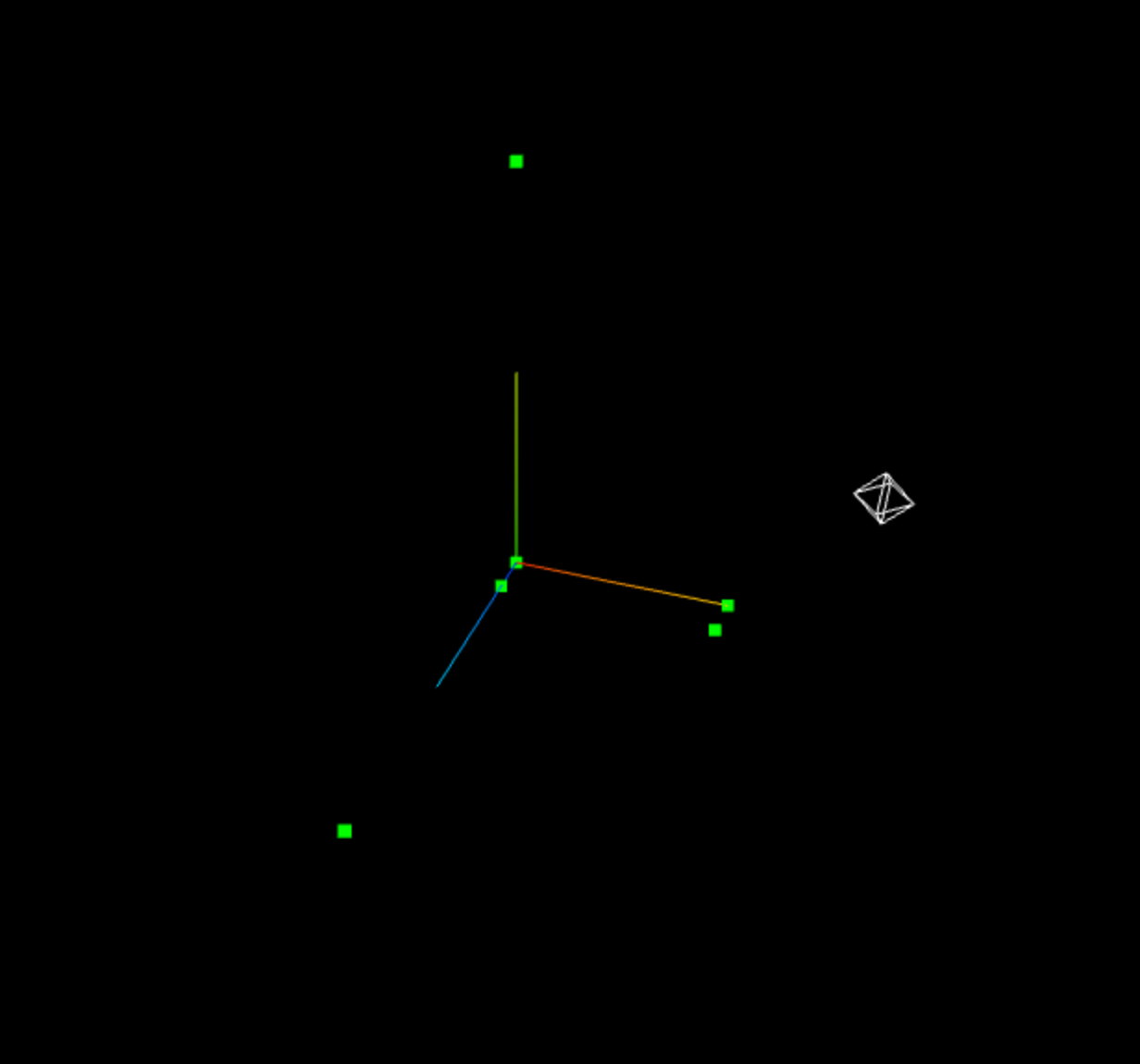
线模型
/* 线模型 */
const line = new THREE.Line(geometry, material);

// 闭合线条
const line2 = new THREE.LineLoop(geometry, material);

// 不连续线条
const line3 = new THREE.LineSegments(geometry, material);
网格模型 && 顶点法线
网格Mesh其实就是一个个三角形拼接起来的,使用网格模型Mesh渲染几何体geometry,就是将几何体的顶点坐标三个为一组,构成一个三角形,多组顶点构成多个三角形,用于模拟物体表面。
/* 网格模型 */
const material = new THREE.MeshBasicMaterial({
	color: 0x00ff00,
	side: THREE.DoubleSide,  // FrontSide(默认):正面可见、DoubleSide:双面可见、BackSide:反面可见
});
const mesh = new THREE.Mesh(geometry, material);

/* 构建平面几何体 */
const planVertices = new Float32Array([
	// 第一组
	0, 0, 0,
	100, 0, 0,
	100, 100, 0,
	// 第二组
	0, 0, 0,
	0, 100, 0,
	100, 100, 0,
])

const planeAttributes = new THREE.BufferAttribute(planVertices, 3);
const planeGeometry = new THREE.BufferGeometry();
planeGeometry.attributes.position = planeAttributes;

const planeMaterial = new THREE.MeshBasicMaterial({
	color: 0x00ff00,
	side: THREE.DoubleSide
});

const mesh = new THREE.Mesh(planeGeometry, planeMaterial);


// 使用漫反射材质时,需要使用顶点法线数据,使用planVertices将无法正常渲染
const plan2Meterial = new THREE.MeshLambertMaterial({
	color: 0x00ff00,
	side: THREE.DoubleSide
});

// 顶点法线:以三角形为基础单位,找出三角形顶点的法线
const plan2Vertices = new Float32Array([
	0, 0, 1,
	0, 0, 1,
	0, 0, 1,
	0, 0, 1,
	0, 0, 1,
	0, 0, 1,
])

const plan2Geometry = new THREE.BufferGeometry();
plan2Geometry.attributes.position = planeAttributes;
// 设置顶点数据
plan2Geometry.attributes.normal = new THREE.BufferAttribute(plan2Vertices, 3);

const mesh2 = new THREE.Mesh(plan2Geometry, plan2Meterial);
threejs自带几何体顶点结构
threejs自带的几种几何体都是基于BufferGeometry类创建的。
// 创建一个盒子
const boxGeometry = new THREE.BoxGeometry(10, 10, 10);
const boxMeterial = new THREE.MeshBasicMaterial({
	color: 0x00ff00,
	side: THREE.DoubleSide
});
const box = new THREE.Mesh(boxGeometry, boxMeterial);
box.position.set(0, 0, 0);

console.log('BoxGeometry的顶点数据为:', boxGeometry.attributes.position);
console.log('BoxGeometry的顶点法线数据为:', boxGeometry.attributes.normal);

// 创建球体,分段数越多,对系统性能消耗越大
const sphereGeometry = new THREE.SphereGeometry(60, 64, 32);  // 半径、宽方向分段数、高方向分段数
const spere = new THREE.Mesh(sphereGeometry, boxMeterial);
旋转、缩放、平移
BufferGeometry可以通过.scale()、.translate()、rotateX()、rotateY()、rotateZ()等方法对几何体进行旋转、缩放、平移操作,这些操作本质上都是改变几何体的顶点数据。
// 创建一个盒子
const boxGeometry = new THREE.BoxGeometry(20, 20, 20, 3);  // 长、宽、高、分段数(分段数越高,越接近)

// 放大盒子
boxGeometry.scale(5, 5, 5);
// 平移box
boxGeometry.translate(50, 0, 0);
// 绕x轴旋转
boxGeometry.rotateX(Math.PI / 4);
// 居中
boxGeometry.center();  // 将几何体回到原点

const boxMeterial = new THREE.MeshBasicMaterial({
	color: 0x00ff00,
	side: THREE.DoubleSide,
	wireframe: true  // 以线框模式显示
});
const box = new THREE.Mesh(boxGeometry, boxMeterial);
Loading...