
爬虫练习-爬取动态数据
小于 1 分钟
爬虫练习-爬取动态数据
代码
# Playwright动态网页爬取
from playwright.async_api import async_playwright
# 运行下载浏览器
import asyncio
# 引入html解析工具
from bs4 import BeautifulSoup

async def snail_website():
    async with async_playwright() as p:
        browser = await p.chromium.launch(headless=False)  # 启动chrome浏览器
        # 模拟浏览器信息,绕过403
        context = await browser.new_context(
            user_agent='Mozilla/5.0 (Windows NT 10.0; Win64; x64) AppleWebKit/537.36 (KHTML, like Gecko) Chrome/120.0.0.0 Safari/537.36',
            extra_http_headers={
                'Accept': 'text/html,application/xhtml+xml,application/xml;q=0.9,image/webp,*/*;q=0.8',
                'Accept-Language': 'zh-CN,zh;q=0.9,en;q=0.8',
                'Accept-Encoding': 'gzip, deflate, br',
                'Connection': 'keep-alive',
                'Upgrade-Insecure-Requests': '1',
                'Sec-Fetch-Dest': 'document',
                'Sec-Fetch-Mode': 'navigate',
                'Sec-Fetch-Site': 'none',
                'Sec-Fetch-User': '?1',
                'Cache-Control': 'max-age=0'
            }
        )
        page = await browser.new_page()  # 打开新页面
        await page.goto("https://www.weather.com.cn/weather1d/101210101.shtml")
        # 获取页面标题
        title = await page.title()
        # 获取内容
        content = await page.content()

        # 格式化html
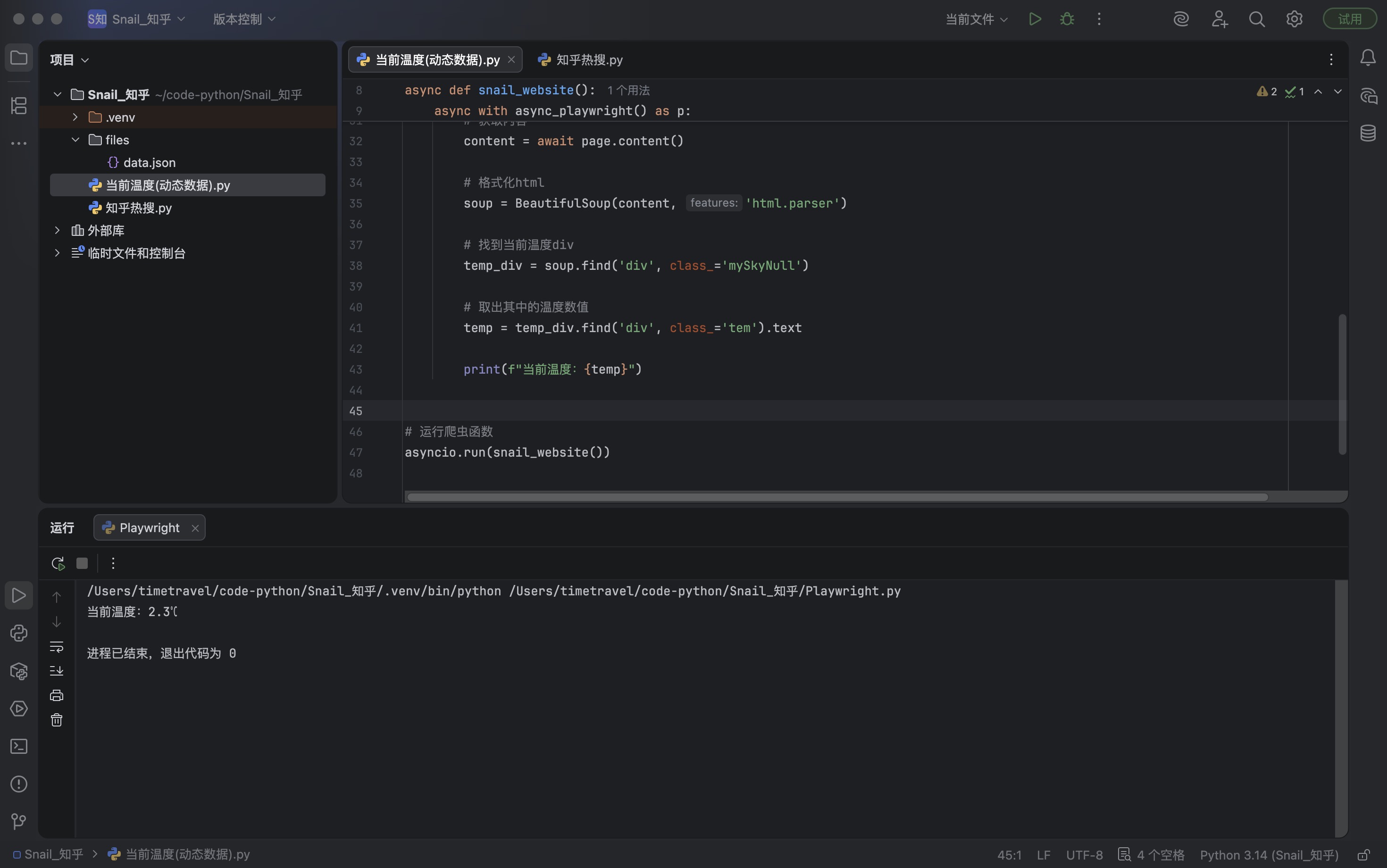
        soup = BeautifulSoup(content, 'html.parser')

        # 找到当前温度div
        temp_div = soup.find('div', class_='mySkyNull')

        # 取出其中的温度数值
        temp = temp_div.find('div', class_='tem').text

        print(f"当前温度:{temp}")


# 运行爬虫函数
asyncio.run(snail_website())
截图
Loading...